
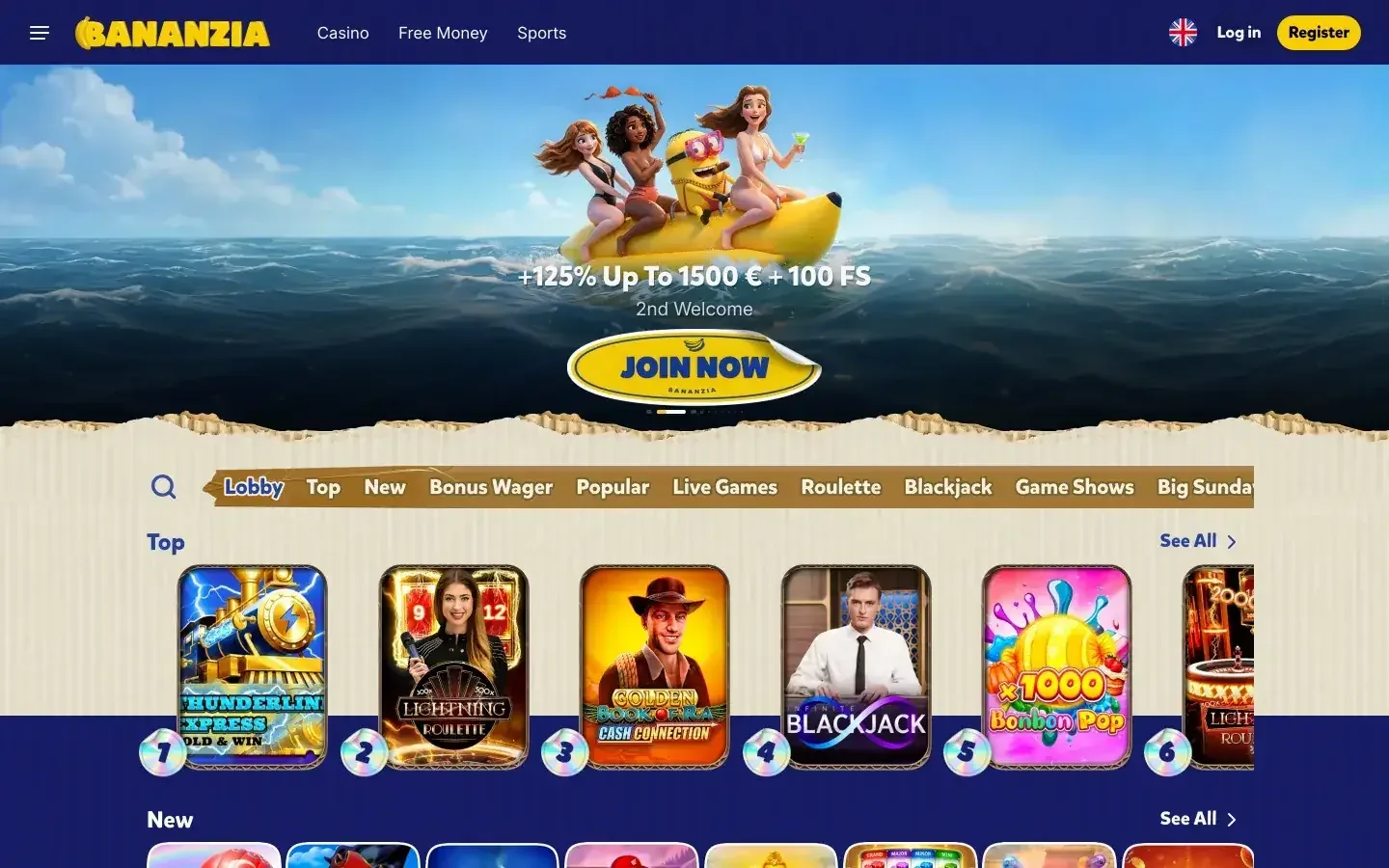
Bananzia Login
Log in to Bananzia
Sign in with your e-mail address or username and password; use the password reset option if you cannot remember your password, or contact support by live chat or e-mail.
100% up to £400 + 200 Free Spins
How to Log In to Bananzia
Open the login form
Select Log in and enter the e-mail address or username and password linked to your Bananzia account.
Verify your sign-in
Submit your details to sign in; complete any additional verification if two-step verification is enabled or prompted on a new device.
Reset a forgotten password
If you have forgotten your password, use the password-reset option on the login form and follow the instructions sent to your registered e-mail address.
Contact support
If access remains blocked after checking your details, contact support by live chat or e-mail for help with the account.
Bananzia Login
Sign in to your Bananzia account with the Log in button, then enter the e-mail address or username and password registered to the account. The same account can be opened in a mobile browser, so a separate app is not needed. Keep the details to hand before starting, and check that the e-mail address or username is the one used for the account.
Sign in to your account
Open the casino website and select Log in. Enter your account details in the sign-in form, then submit them to access the account. If the details are not accepted, check for typing errors, including any extra spaces, and confirm that the correct e-mail address or username is being used.
A new device may prompt an additional security check. Two-step verification applies only if enabled on the account; follow the on-screen instructions if a prompt appears. Do not repeatedly retry details you are unsure about, as failed attempts can lead to a temporary lock.
Reset a forgotten password
Select the forgotten-password option on the sign-in screen and follow the reset instructions. Use the e-mail address associated with the account so the reset message can be matched to the right profile. Once the password has been changed, return to Log in and enter the updated details.
If a reset message does not arrive, check the address entered and look in the junk folder before trying again. If access remains unavailable, contact support for help with the account. Support is available by e-mail and live chat.
| Access point | What to do |
|---|---|
| Sign-in form | Enter the account e-mail or username and password. |
| Forgotten password | Start a reset from the sign-in screen and follow its instructions. |
| Mobile access | Open the casino in a mobile web browser; there is no app. |
| Account support | Contact support by e-mail or live chat. |
When access is blocked
Failed sign-in attempts can lock an account, and access may also be restricted while verification is pending. Self-exclusion can prevent access as well. If the login form reports a lock or verification issue, stop retrying and contact support to find out what action is needed for that account.
Bananzia is not licensed in Great Britain. GAMSTOP self-exclusion does not block this casino. For gambling support in the UK, GamCare and the National Gambling Helpline are available on 0808 8020 133.
Use a mobile browser
The casino is mobile-compatible and can be opened in a browser on a phone or tablet. Go to the website, select Log in and enter the account credentials; the sign-in process uses the same account details as on a computer. There is no mobile app to download.
If the account asks for an extra check on a new device, complete the prompt before continuing. If the page does not accept the details, return to the password reset option or contact support rather than creating another account to get back in.
Changing account details
To change the e-mail address linked to the account, sign in and look for the account details or profile settings. Follow the instructions shown there, as the casino may ask you to confirm the change before the new address is used. If you cannot sign in or cannot complete the change, ask support for help through e-mail or live chat.
Keep access to the registered e-mail address where possible, since it is needed for password recovery. When contacting support about a login problem, describe the issue and provide the account details they request so they can locate the correct profile. Do not send a password in a support message.
Login checks
- Use the registered e-mail address or username with the account password.
- Check for typing errors before submitting the login form.
- Use the forgotten-password option if the password no longer works.
- Follow any extra security prompt shown for a new device, if enabled.
- Contact support if failed attempts, pending verification or self-exclusion blocks access.
- Open the casino in a mobile browser rather than looking for an app.
| Access point | What to do |
|---|---|
| Sign-in details | Use the Log in button and enter the e-mail address or username and password linked to the account. |
| Password recovery | Use the forgotten-password option to start a password reset. |
| Support channels | Email and live chat |
| Mobile access | The casino works in a mobile browser; there is no mobile app. |
| Licence | Not licensed in Great Britain; licensed by the Anjouan Gaming Authority (Comoros), licence ALSI-202509029-FI1. |
Login FAQs
Sign in to Bananzia with the e-mail address or username and password linked to your account. Find answers about password recovery, mobile access and login problems below.
How do I sign in to my Bananzia account?
To complete Bananzia casino sign in, select Log in and enter the e-mail address or username and password linked to your account. Check the details for typing errors before submitting the form. If you have forgotten your password, use the password-reset option to start recovery.
How can I reset a forgotten password?
Use the forgotten-password option on the login screen to begin resetting your password. Follow the instructions shown there to regain access, then use the updated password when you sign in. If you cannot complete the reset, contact support by live chat or e-mail for help with your account.
Can I log in on my mobile?
You can access Bananzia from a mobile browser because the casino is mobile-compatible. Open the casino site, choose Log in, and enter your account details. There is no mobile app, so sign-in takes place through the web browser rather than an app download.
Why is my account locked?
A login may be blocked after repeated failed attempts, while verification is pending, or during self-exclusion. Check that you are using the correct account details and complete any account verification requested. If you still cannot sign in, contact Bananzia support through live chat or e-mail.
Do I need two-step verification to log in?
If two-step verification is enabled on your account, complete the additional check shown after entering your login details. The extra step is only relevant when this security feature is enabled. If you cannot pass the check or reach your account, contact support by live chat or e-mail.
How do I contact support about my login?
Contact support by live chat or e-mail if you cannot access your account or need help changing its e-mail address. Include enough information for the team to identify the account, but do not send your password. Follow any verification steps requested before making account changes.
Trending






Sign in to your Bananzia account
100% up to £400 + 200 Free Spins
Lucky spin
Spin once for a tip from the lobby: an offer to claim or a game to try today.
- American Roulette
- Aviamasters 2 Halloween
- Aztec Magic Megaways
- Big Boat Big Catch
- Black Friday Madness
- Multihand Blackjack Pro
- Bling Blitz Diamond Drop
- Bling Blitz Power Nudge